
Bunn coffee makers, while reliable, require consistent cleaning for optimal performance and longevity; neglecting this crucial step impacts coffee quality and machine lifespan․
Why Regular Cleaning is Crucial
Consistent cleaning of your Bunn coffee maker isn’t merely about aesthetics; it’s fundamentally linked to the quality of your brew and the lifespan of the appliance․ Mineral deposits from water, primarily calcium and lime, accumulate over time, hindering heating efficiency and potentially causing malfunctions․ These buildups affect the coffee’s taste, imparting a bitter or stale flavor․
Furthermore, neglecting cleaning creates a breeding ground for mold and bacteria within the machine’s internal components․ This poses a health risk and further degrades coffee quality․ Regular maintenance, as outlined in these instructions, prevents costly repairs and ensures your Bunn coffee maker continues to deliver a consistently delicious and safe cup of coffee for years to come․ Ignoring these steps leads to decreased performance․
Bunn Coffee Maker Types & Cleaning Differences
Bunn manufactures a diverse range of coffee makers, from home brewers to high-volume commercial units, each with slightly varying cleaning requirements․ Home brewers generally involve simpler cleaning routines, focusing on carafe, sprayhead, and occasional descaling․ Commercial models, designed for continuous use, demand more frequent and thorough cleaning, including daily sprayhead maintenance and regular internal component checks․
The primary difference lies in the scale of buildup․ Commercial machines experience faster mineral accumulation due to constant operation․ Some models feature automatic cleaning cycles, while others require manual intervention․ Always consult your specific Bunn model’s manual for detailed instructions, as cleaning procedures can differ based on features and capacity․ Understanding these nuances ensures effective and appropriate cleaning․
Daily Cleaning Procedures
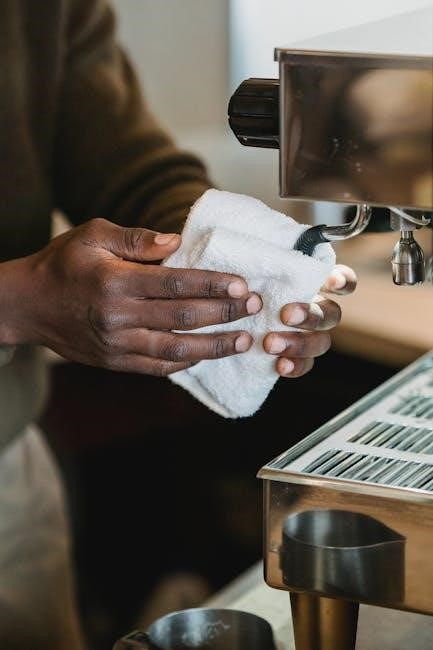
Routine daily tasks include wiping down the exterior, emptying and cleaning the carafe, and, most importantly, thoroughly cleaning the sprayhead after each use․
Cleaning the Sprayhead
The sprayhead is prone to mineral buildup and coffee residue, significantly impacting brew quality․ Daily cleaning is essential! First, ensure the coffee maker is off and cooled․ Gently remove the sprayhead, typically by twisting or unclipping it․
Inspect for any visible debris or blockages․ Use a small brush, like a toothbrush, and warm, soapy water to scrub away residue from the sprayhead’s holes․ For stubborn buildup, soak the sprayhead in a solution of white vinegar and water (equal parts) for about 30 minutes․
Rinse thoroughly with clean water to remove all traces of soap or vinegar․ Reattach the sprayhead securely, ensuring it’s properly aligned․ A clean sprayhead guarantees even water distribution for a perfect brew․
Wiping Down the Exterior
Maintaining a clean exterior not only enhances the appearance of your Bunn coffee maker but also prevents the buildup of spills and splatters․ After each use, or at least daily, unplug the machine and allow it to cool completely․
Use a soft, damp cloth with a mild dish soap solution to wipe down all exterior surfaces, including the housing, control panel, and warming plate area․ Avoid abrasive cleaners or scouring pads, as these can scratch the finish․
Pay close attention to areas prone to spills, such as around the carafe holder and brew button․ Rinse the cloth frequently in clean water and dry the exterior thoroughly with a clean towel․ A polished exterior contributes to a hygienic and inviting coffee station․
Emptying and Cleaning the Carafe
Regularly emptying and cleaning the carafe is essential to prevent stale coffee residue from affecting the taste of future brews․ After each use, promptly discard any remaining coffee grounds and liquid․ Rinse the carafe thoroughly with warm, soapy water, ensuring all coffee oils and stains are removed․
For stubborn stains, a mixture of baking soda and water can be used as a gentle abrasive․ Avoid using harsh chemicals or abrasive cleaners, which can damage the glass․
The lid and any removable parts of the carafe should also be disassembled and washed separately․ Ensure all components are completely dry before reassembling and storing․ A clean carafe guarantees a fresh and flavorful coffee experience․

Weekly Cleaning Procedures
Consistent weekly maintenance, including brew funnel cleaning and descaling, prevents mineral buildup and ensures optimal Bunn coffee maker performance and longevity․
Cleaning the Brew Funnel
The brew funnel is a critical component, directly impacting coffee flavor; weekly cleaning is essential․ First, ensure the Bunn coffee maker is powered off and cooled․ Carefully remove the brew funnel, typically by lifting it straight up․ Wash the funnel thoroughly with warm, soapy water, using a non-abrasive sponge or cloth to avoid scratches․ Pay close attention to any coffee residue or mineral deposits clinging to the sides or sprayhead openings․
For stubborn buildup, soak the funnel in a solution of descaling solution (specifically designed for coffee makers) and water, following the product’s instructions․ Rinse the funnel completely under running water, ensuring all soap and descaling solution are removed․ Before reinserting, inspect the sprayhead openings for any blockages and clear them with a small pin or wire if necessary․ A clean brew funnel guarantees a consistently delicious brew․
Descaling the Bunn Coffee Maker
Mineral buildup from water significantly impacts Bunn coffee maker performance, reducing brewing efficiency and altering coffee taste; weekly descaling is recommended․ Begin by preparing a descaling solution – typically a commercial descaling product diluted with water, following package directions․ Pour the solution into the water reservoir․ Run a full brewing cycle without coffee grounds․ Repeat this process two to three times, depending on the severity of the mineral buildup․
Following the descaling cycles, thoroughly flush the system by running several brewing cycles with fresh, clean water to remove any remaining descaling solution․ This step is crucial to prevent a chemical taste in your coffee․ Regular descaling extends the life of your Bunn coffee maker and ensures optimal brewing quality․
Cleaning the Water Reservoir
The water reservoir is a breeding ground for bacteria and mineral deposits, directly impacting coffee flavor and machine hygiene; weekly cleaning is essential․ First, disconnect the Bunn coffee maker from the power source․ Remove the water reservoir and empty any remaining water․ Wash the reservoir with warm, soapy water, using a soft sponge or cloth to avoid scratching the plastic․
Rinse the reservoir thoroughly with clean water, ensuring all soap residue is removed․ For stubborn mineral deposits, a diluted vinegar solution can be used, followed by a thorough rinsing․ Before reassembling, inspect the reservoir for any cracks or damage․ A clean water reservoir contributes significantly to the overall cleanliness and performance of your Bunn coffee maker․

Monthly Deep Cleaning
A comprehensive monthly cleaning ensures peak performance; disassemble key components, meticulously clean each part, and inspect for wear or damage to maintain quality․
Cleaning the Internal Components
To thoroughly clean the internal components of your Bunn coffee maker, begin by disconnecting the unit from the power source․ Carefully disassemble any removable parts, consulting your model’s manual for guidance․ Pay close attention to the brew path, where coffee oils and mineral deposits accumulate․ Use a specialized Bunn cleaning solution or a mixture of white vinegar and water to soak and scrub these areas․
Specifically, the brew funnel and sprayhead require detailed attention․ Remove any visible residue with a soft brush or cloth․ Inspect the internal tubing for blockages and flush with clean water․ Ensure all components are completely dry before reassembling the coffee maker․ Regular internal cleaning prevents buildup, ensuring consistent brewing temperatures and optimal coffee flavor․ Remember to rinse thoroughly to remove any cleaning solution residue․
Checking and Cleaning Water Lines
Maintaining clear water lines is vital for a Bunn coffee maker’s performance․ Begin by disconnecting the unit and locating the water inlet․ Inspect the lines for kinks, cracks, or any visible buildup․ Detach the lines carefully and flush them with a solution of white vinegar and water – a 50/50 mix is effective․ This helps dissolve mineral deposits that restrict water flow․
Use a small brush or pipe cleaner to scrub the interior of the lines, ensuring complete removal of residue․ Rinse thoroughly with clean water until the solution is completely flushed out․ Reconnect the lines securely, checking for leaks․ Regular inspection and cleaning prevent clogs, ensuring consistent water delivery and optimal brewing․ Ignoring this step can lead to reduced coffee quality and potential machine damage․
Cleaning the Air Break Assembly
The air break assembly in a Bunn coffee maker prevents backflow contamination, making its cleaning essential․ Disconnect the power and locate the assembly – typically a small component near the water inlet․ Carefully disassemble the air break, noting the position of each part for reassembly․ Inspect for mineral deposits or coffee residue buildup․
Soak the disassembled parts in a solution of warm water and a descaling agent, or white vinegar, for approximately 30 minutes․ Use a small brush to gently scrub away any remaining debris․ Rinse thoroughly with clean water, ensuring no residue remains․ Reassemble the air break precisely as it was before, ensuring a secure fit․ A clean air break guarantees safe and hygienic coffee brewing, preventing unwanted flavors and potential health risks․

Specific Bunn Model Cleaning Instructions
Different Bunn models may have unique cleaning needs; always consult your specific unit’s manual for tailored guidance and optimal maintenance procedures․
Bunn Home Brewers Cleaning
For Bunn home brewers, daily cleaning involves removing the brew funnel and carafe, washing them with warm, soapy water, and rinsing thoroughly․ The sprayhead should be wiped clean after each use to prevent mineral buildup․ Weekly, a more thorough cleaning is needed; descale the brewer using a Bunn-approved descaling solution, following the manufacturer’s instructions carefully․ This removes calcium deposits that can affect brewing temperature and coffee flavor․
Regularly inspect and clean the water reservoir to prevent mold and bacteria growth․ Monthly, consider a deeper clean, checking water lines for obstructions and ensuring all components are free of residue․ Always unplug the brewer before any internal cleaning․ Proper maintenance extends the life of your Bunn home brewer and ensures consistently delicious coffee․
Bunn Commercial Brewers Cleaning
Bunn commercial brewers demand a rigorous cleaning schedule due to high-volume use․ Daily routines include flushing the brew path, cleaning the sprayhead, and wiping down the exterior․ Weekly, a comprehensive descaling process is essential, utilizing commercial-grade descaling solutions designed for Bunn equipment․ Thoroughly clean the brew funnel and ensure proper water flow․
Monthly, a deep clean should involve inspecting and cleaning internal components, checking water lines for blockages, and verifying the air break assembly is functioning correctly․ Commercial brewers often have more complex parts requiring specialized attention․ Following Bunn’s official cleaning guidelines is crucial for maintaining warranty validity and ensuring consistent coffee quality in a business setting․
Troubleshooting Cleaning Issues
Persistent mineral buildup or clogged sprayheads require repeated descaling and potentially specialized tools; address these promptly to restore optimal brewing performance․
Dealing with Mineral Buildup
Mineral deposits, primarily calcium and lime, accumulate over time within your Bunn coffee maker, hindering its performance and affecting coffee taste․ Regular descaling is paramount to combat this․ Begin by brewing a full pot of a descaling solution – typically a commercially available Bunn descaler or a diluted vinegar solution (follow product instructions carefully!)․
Allow the solution to run through a complete brew cycle, then repeat with several pots of fresh water to thoroughly rinse away any remaining descaler․ For stubborn buildup, you might need to repeat the descaling process․ Inspect the sprayhead and internal components for visible deposits; manual cleaning with a soft brush may be necessary․ Consistent descaling prevents significant buildup, ensuring your Bunn brewer operates efficiently and delivers consistently delicious coffee․
Addressing Clogged Sprayheads
A clogged sprayhead is a common issue in Bunn coffee makers, leading to uneven saturation and weak coffee․ Begin by disconnecting the power and allowing the unit to cool completely․ Carefully remove the sprayhead, often held in place by a retaining clip or screw․ Inspect the tiny holes for mineral deposits or coffee grounds․
Use a small needle, pin, or specialized sprayhead cleaning tool to gently clear each individual hole․ Avoid enlarging the holes, as this will affect spray pattern․ Rinse the sprayhead thoroughly under warm water to remove dislodged debris․ Reinstall the cleaned sprayhead, ensuring it’s securely fastened․ Regular cleaning prevents clogs, maintaining optimal brewing performance and coffee quality․
Cleaning Solutions & Products
For Bunn coffee makers, utilize descaling solutions specifically designed for coffee equipment, alongside mild dish soap and water for routine cleaning tasks․
Recommended Cleaning Solutions
When maintaining your Bunn coffee maker, selecting the right cleaning solutions is paramount for effectiveness and preventing damage․ Bunn offers its own line of cleaning products, including descaling solutions and coffee pot cleaners, specifically formulated for their machines – these are often the most reliable choice․
Alternatively, white vinegar diluted with water (a 1:1 ratio) can serve as a cost-effective descaler, though ensure thorough rinsing afterward to avoid altering coffee flavor․ For daily cleaning, a mild dish soap is sufficient for carafes and exterior surfaces․ Avoid abrasive cleaners, as they can scratch the stainless steel or plastic components․
Specifically, for stubborn mineral buildup, consider using a commercial descaling solution designed for coffee makers, following the manufacturer’s instructions carefully․ Always prioritize solutions that are food-safe and won’t leave harmful residues․
Solutions to Avoid
Certain cleaning agents can severely damage your Bunn coffee maker, compromising its functionality and potentially voiding any warranty․ Harsh chemicals like bleach, ammonia, and abrasive scouring powders are strictly prohibited, as they can corrode internal components and leave behind toxic residues․
Avoid using cleaners containing chlorine, as these can react with the stainless steel and plastic parts, causing discoloration and deterioration․ Similarly, steer clear of solvents or flammable liquids, posing a significant safety hazard․ Never use steel wool or abrasive sponges, as they will scratch surfaces․
Furthermore, avoid mixing different cleaning solutions, as this can create dangerous chemical reactions․ Always prioritize food-safe, coffee-maker-specific cleaners or mild, diluted solutions like white vinegar to ensure the longevity and safety of your Bunn brewer․

Safety Precautions During Cleaning
Always disconnect the Bunn coffee maker before cleaning; avoid touching hot components and ensure proper ventilation when using cleaning solutions for safety․
Electrical Safety
Prioritizing electrical safety is paramount when cleaning your Bunn coffee maker․ Always unplug the unit from the power outlet before commencing any cleaning procedure․ Never attempt to disassemble or repair electrical components yourself; this should only be handled by qualified technicians․ Avoid any contact with internal wiring or electrical parts, even if the machine appears to be off․
Ensure your hands are completely dry when handling the power cord or plugging/unplugging the coffee maker․ Inspect the power cord regularly for any signs of damage, such as fraying or exposed wires, and replace it immediately if necessary․ Do not operate the coffee maker if the power cord is damaged․ Water and electricity are a dangerous combination, so prevent any liquid from entering the machine’s electrical components․ Following these precautions will help prevent electrical shock and ensure safe operation․
Handling Hot Components
Bunn coffee makers operate with high temperatures, demanding careful handling of hot components during cleaning․ Always allow the machine to cool down completely before initiating any cleaning process․ The carafe, brew funnel, and sprayhead can retain significant heat even after the unit is turned off․
Use oven mitts or heat-resistant gloves when handling these parts to prevent burns․ Avoid direct contact with hot surfaces․ When emptying the carafe, do so slowly and carefully to prevent splashing hot coffee․ Be cautious of steam released during the cleaning process, especially when descaling․ Never immerse hot components in cold water, as this can cause thermal shock and potential damage․ Prioritize your safety and exercise caution throughout the cleaning procedure․